Cosmo is an all-in-one website solution for your community that includes an index page, donation store and forums.
Requirements
-
Cosmo licence from gmodstore.com
Installing Cosmo
-
Purchase Hexane Web Hosting Here
-
Log in to the Web Hosting Control Panel with the credentials sent to your email. Alternatively, you can find the login details in the billing area.
-
Navigate to the File Manager.
-
Open the public_html folder.
-
Download Cosmo from gmodstore.com
-
Open the .zip file on your computer with WinRAR.
-
Create a new folder on your Desktop called cosmo.
-
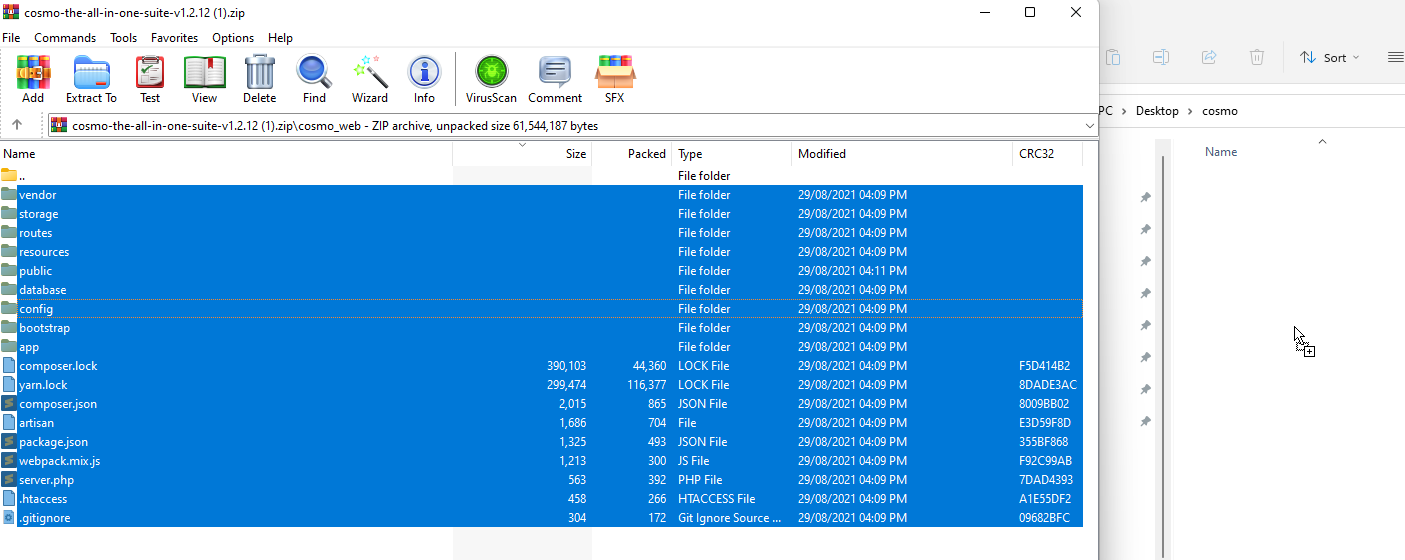
Back to the zip file you just opened, open the folder cosmo_web, select all the files and drag and drop them into the new cosmo folder on your Desktop.
-
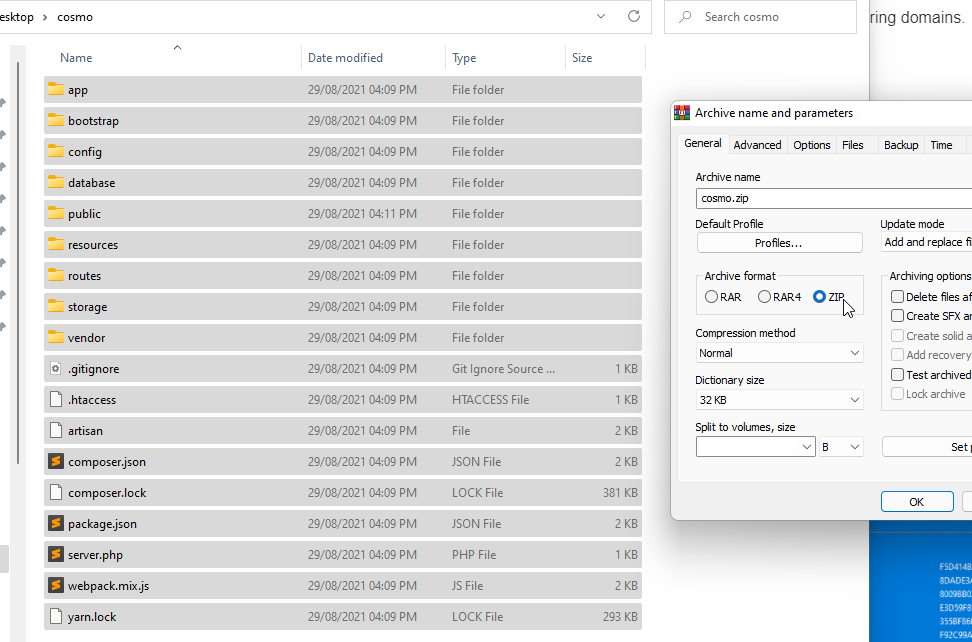
Once extracted into the new folder on your desktop, select all the files and folders and right-click to Add to Archive and proceed to create a new file called cosmo.zip
-
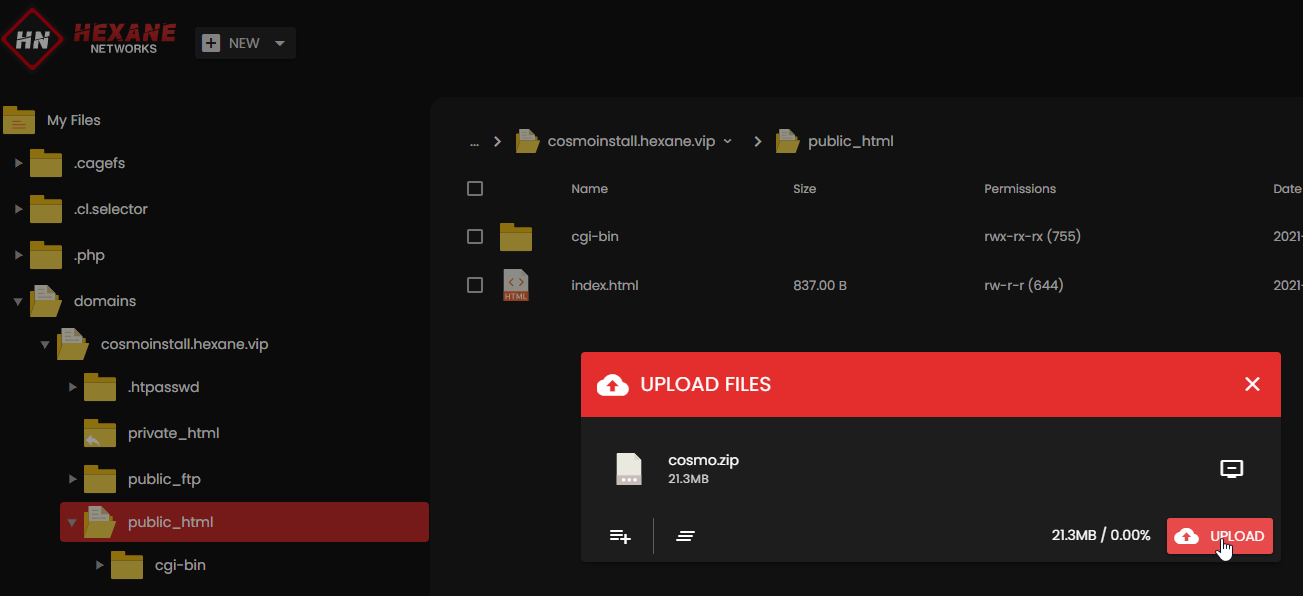
Upload the new cosmo.zip file to the public_html folder in the File Manager.
-
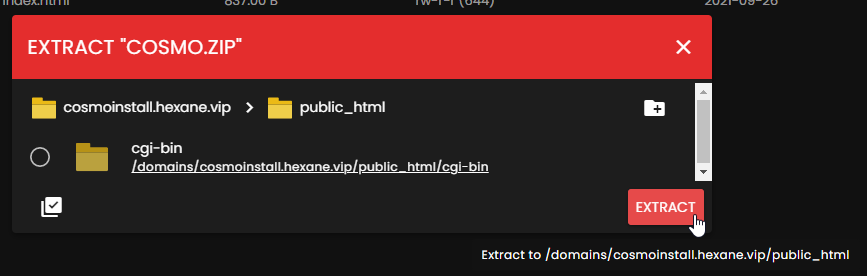
Right Click on the file and Extract into the current directory.
-
Delete the cosmo.zip file after extraction is complete.
-
Navigate to your domain in your browser. For this example, we’re using
https://cosmoinstall.hexane.vip -
Head back to the home of the web hosting control panel.
-
Click MySQL Manager.
-
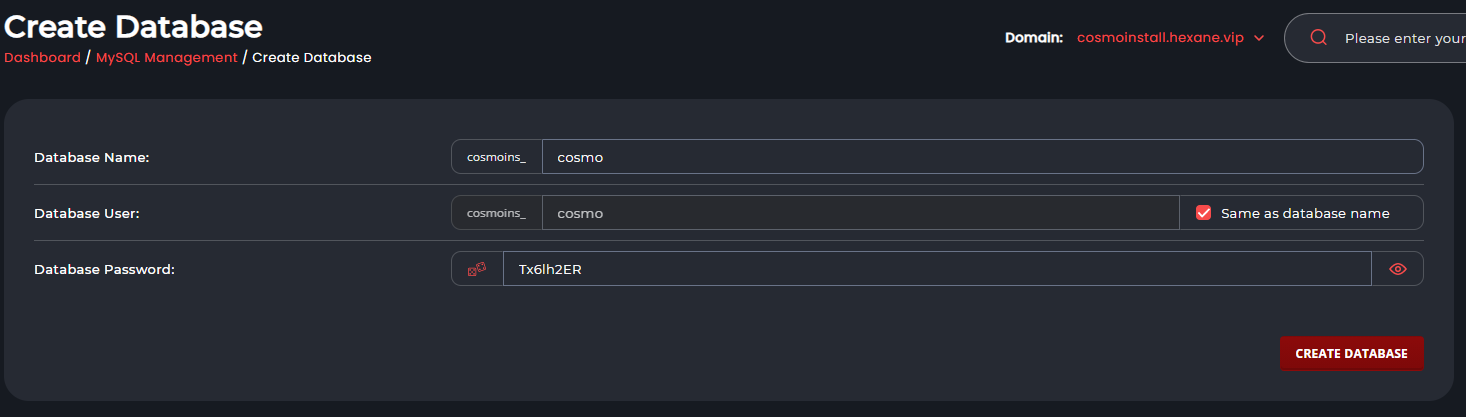
Create a new Database and User called cosmo with a secure password.
-
On the Cosmo installer page, fill out the details.
-
Sucess! You have installed Cosmo. You can now log in to access the admin dashboard.

If you experience any issues, contact us!